EV charging app proposal
Project Overview
This app allows users view the list of tasks. When there are new task assigned, it will help user check the current battery status, predicted battery status at end of all the assignments. so they can decide when or where to charge their battery to make sure they can finish the rest of assignments.
My Role
UI Design
Timeline
April 2022

When the user clicks on the notification, it will bring him to the task summary screen, which he can view the list of tasks where there are 2 NEW tasks inserted.
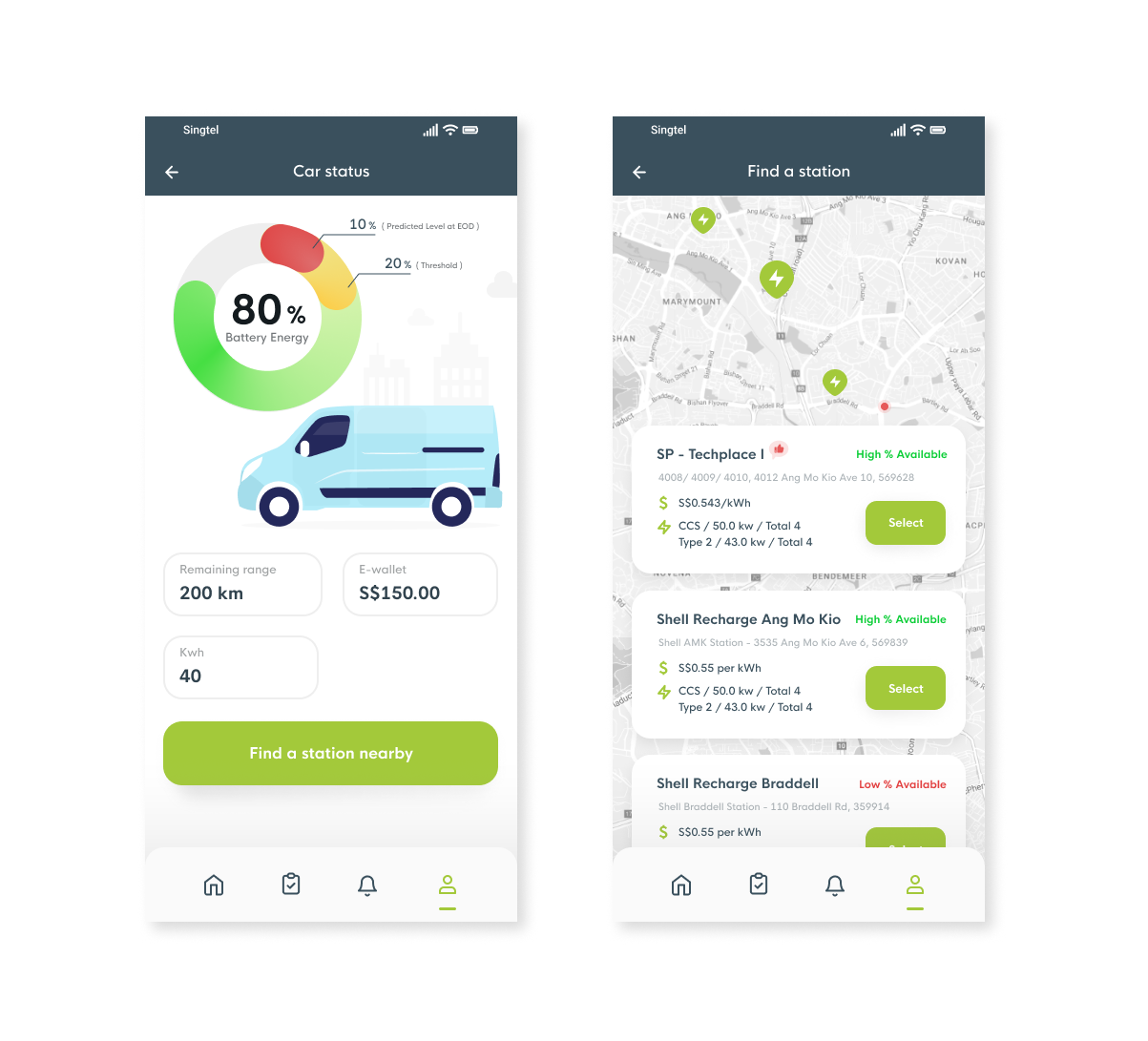
After viewing the new task assignment, the user can look into the second insertion which is the planned charging. He can view the details, and it will showcase the current battery status, predicted batter status at end of all the assignments. It has shown that it will fall below the threshold, thus system has inserted a planned charging of 10 mins.
According to his assignments, ideally a map view and a list view of the recommended charging stations.
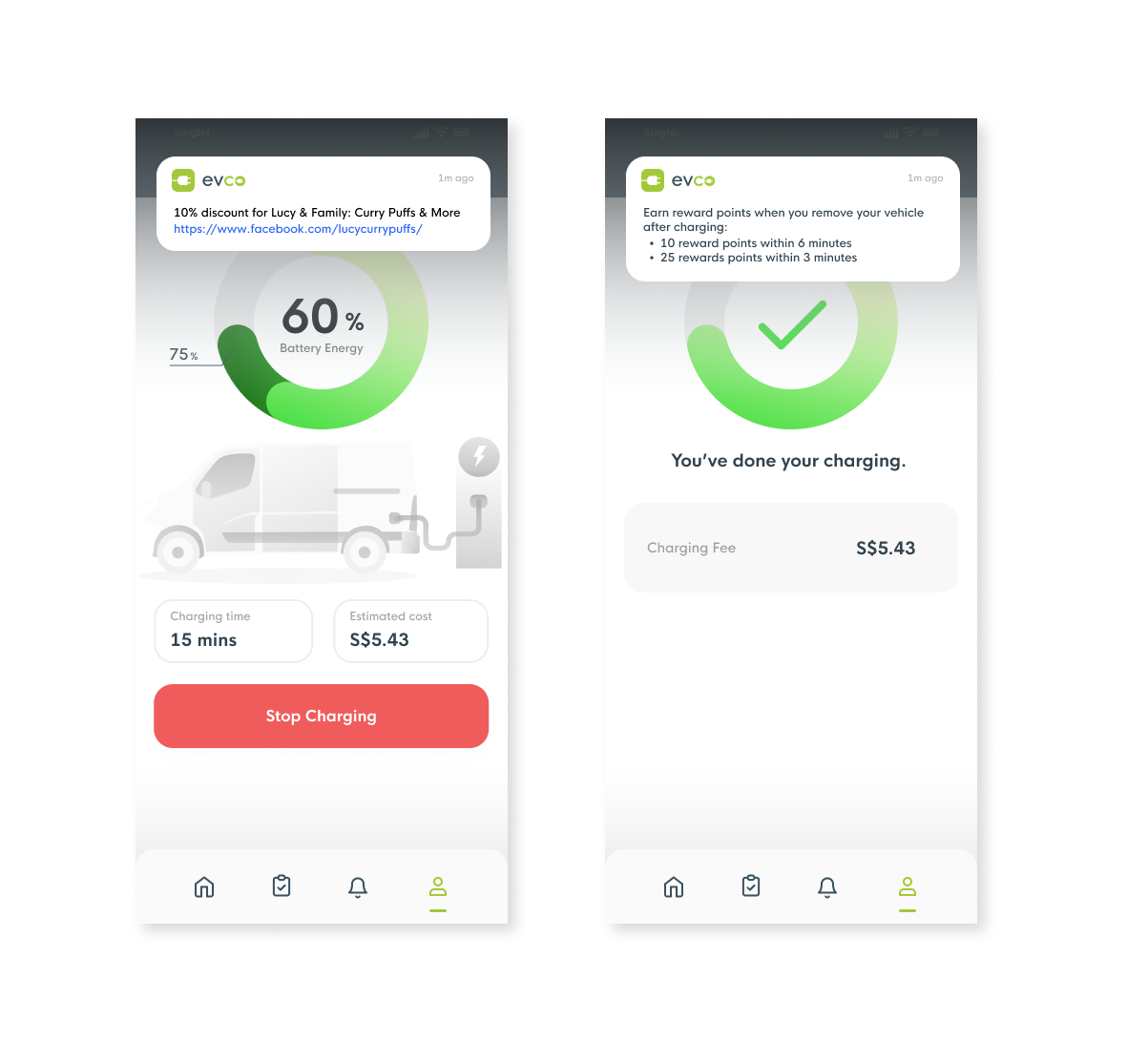
The system will send 1st notification when the car is in charging. The notification sugguests the user to enjoy some delicious food during car charging.
The system will send 2st notification to remind the user that he has earned reward points when he removes your vehicle after charging.